- Laser PointersBy ColorBy PowerBy ApplicationBy Wavelength
- Laser Modules
- Laser Sights
- Laser Diodes
- Laser Goggles
- Other Lasers
- Accessories
- Company Information
- Home
- >>
- Blog & News
- >>
- How to Fix a Laser Pointer
How to Fix a Laser Pointer
Published by David - September 30, 2026
Views: 23
Now, if your laser pointer is genuinely broken, then the likelihood is that it's not worth fixing. Unless it's a costly laser – which the possibility is that it isn't – then it's probably just worth purchasing a new laser pointer. However, if you're adamant that you want to try and fix your laser pointer, then there are a few steps that you'll need to take.
Fixing a laser pointer
Firstly, you'll undoubtedly want to check the batteries before you do anything else. Your laser pointer isn't working because the cells aren't working correctly.
I don't know if it's because the batteries have run out or you're using the wrong type. But you do not want to go through the hard work of fixing your laser pointer if the fix is as simple as switching the batteries out for new ones.
Honestly, it's worth checking that your laser pointer has good batteries (or that the batteries are at least facing the right way!).
Check the lens
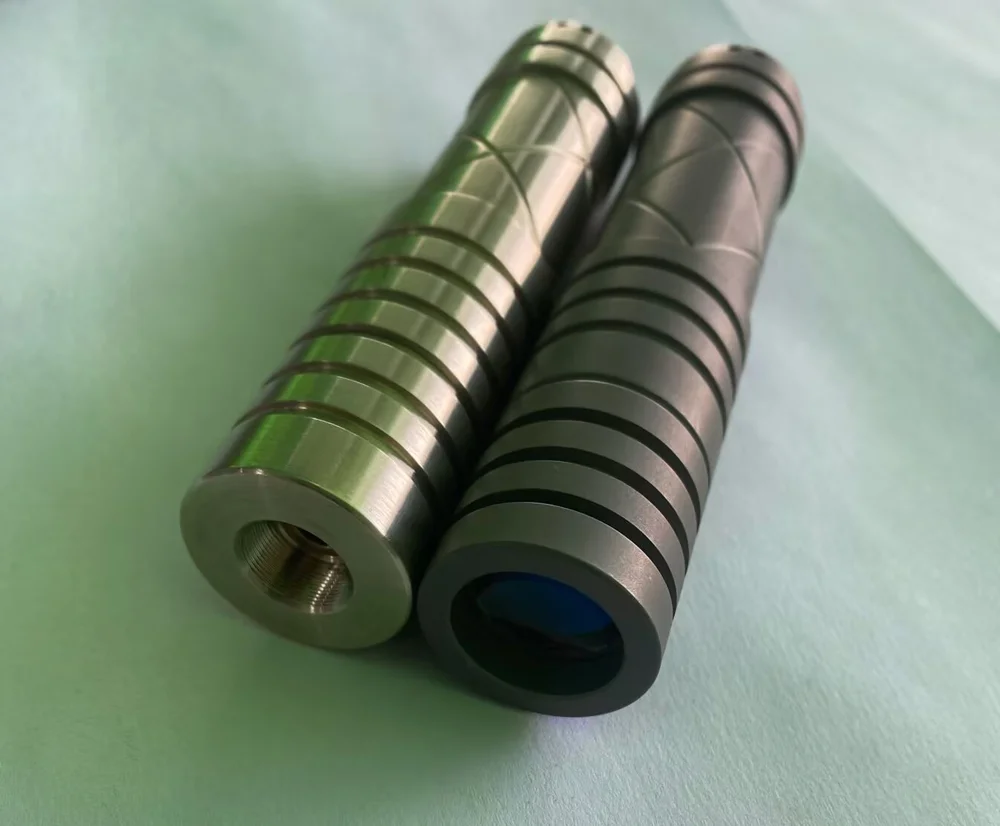
Often, with a laser pointer, the issue can be as little as having a dirty or damaged lens. If you have a damaged lens, it's pretty easy to tell – you can see the scratch when you're pointing your laser pointer from a short distance. And if you have a dirty lens, you'll be able to see this pretty quickly because it will have a 'speckled' appearance around the edges of your laser pointer.
Check this video out if you want a more in-depth look at how to identify if your lens is damaged or dirty.
Of course, if the lens is scratched, you must get a new one, but you can quickly clean a dirty glass.
Don't use Q-Tips to clean the laser
Whatever you do, don't use cheap things like Q-Tips to try and skimp on cost when taking care of your laser pointer. You'll undoubtedly do far more damage than good to your laser pointer.
A better option would be to pick up a lens brush to clean the lens of your pointer. These brushes are specially made to deal with sensitive electronics like this, so you know that you won't cause any further damage to your lens.
The issue with using a Q-tip to clean your lens is that it will leave small fibers on the glass, eventually making it look worse than it did before!
Don't use magnets
I've seen people online using magnets to try to fix their laser pointers. Magnets can deform the spring, which is a necessity for connecting the battery to the laser itself. So yeah, don't use magnets to try to fix your laser pointer.
What to do if you've dropped your laser
It's unlikely that you've left your laser pointer on the side sitting still, come back to it, and suddenly it's not working. If this is the case, then it's probably the batteries. But if your laser pointer has stopped working for other reasons, it's likely due to some impact with another surface (you've dropped it or banged it somehow).
If this is the case, then the probability is that you've knocked the crystal out of alignment. To realign this correctly, you'll need to realign the expanding lens on top of the glass. You'll then need to use thermal adhesive to attach everything as before.
If this is the case, trying to fix your laser pointer is probably not worth your time and effort.
Step-by-Step Guide to Fixing
If you're more technically minded, you can take your laser pointer apart and fix it yourself. I don't advise doing this without safety glasses if you catch yourself in the eye with the laser pointer while fixing it.
Here's a super brief guide on how to fix your laser pointer if you've knocked the expanding lens out of place. You need safety goggles to consider doing this.
1) Unscrew your laser pointer and check the batteries.
2) You'll need to get a small screwdriver and undo the screws that are keeping your laser pointer together.
3) Slowly and carefully realign the crystal with the infrared diode.
4) Test the components of your laser pointer to check that they're working.
What I give you is a rough guide, and I don't advise doing it if you're not experienced with this kind of thing. I haven't done this type of thing in a long while, so it might not be the most extensive guide on the internet!
-

Blog Categories
-

Popular Articles
-
Related Products